
This free Pinterest video downloader lets you paste any Pinterest video link below and download it in seconds, free, no account, no watermarks, and nothing to install.
Pinterest Video Downloader
Download Pinterest videos, images, GIFs & boards in HD. Free. All devices
Free Pinterest Video Downloader, Save Videos, GIFs & Images in HD
DownloadPins is a free Pinterest downloader that saves public Pinterest videos, GIFs, images, and even whole boards to your device. Paste a pin link, preview what’s available, and download the file, no account, no app, no watermark, nothing to install. It works with pinterest.com/pin/… links and pin.it short links, on iPhone, Android, and desktop.
One honest note up front: the tool can only show media that Pinterest makes available for a public pin. If a pin is private, deleted, or login-only, no legitimate downloader can reach it, that’s Pinterest’s restriction, not ours. Everything below explains exactly what works, what doesn’t, and how to get the best quality.
Why Use DownloadPins?
Plenty of ways exist to grab a Pinterest video, the Pinterest app’s offline pins, screen recording, browser extensions. Here’s why most people end up using a dedicated downloader instead:
- Truly free, no catch. No free-trial countdown, no daily download cap, no “premium” tier hiding the HD option.
- No account, no app. The whole thing runs in your browser. Nothing to install, update, or grant permissions to, which also means nothing quietly running in the background.
- Original quality, no watermark. You receive Pinterest’s source file exactly as served, commonly up to 720p HD for video, with no added watermark or re-compression.
- Videos, GIFs, images, and boards. One tool for every Pinterest media type, including whole public boards as a single ZIP.
- Works on every device. iPhone, Android, Windows, Mac, tablet, if it has a browser, it works.
- Private by design. No login means no profile to track. Your pasted link is used only to read that pin’s public page.
DownloadPins vs Other Methods
| Feature | DownloadPins | Pinterest app (offline pins) | Screen recording |
|---|---|---|---|
| Video file you can share/edit | ✓ Yes, real MP4 | ✗ No, locked inside the app | ✓ Yes, but bulky |
| Original quality | ✓ Yes | ✓ Yes | ✗ No, quality loss |
| Watermark | ✗ None added | N/A | May capture UI elements |
| GIFs as real GIF files | ✓ Yes | ✗ No | ✗ No |
| Whole-board download | ✓ Yes (ZIP) | ✗ No | ✗ No |
| Works on desktop | ✓ Yes | Limited | ✓ Yes |
| Account required | ✗ No | ✓ Yes | ✗ No |
| Cost | Free | Free | Free |
How to Download a Pinterest Video
From the Pinterest mobile app
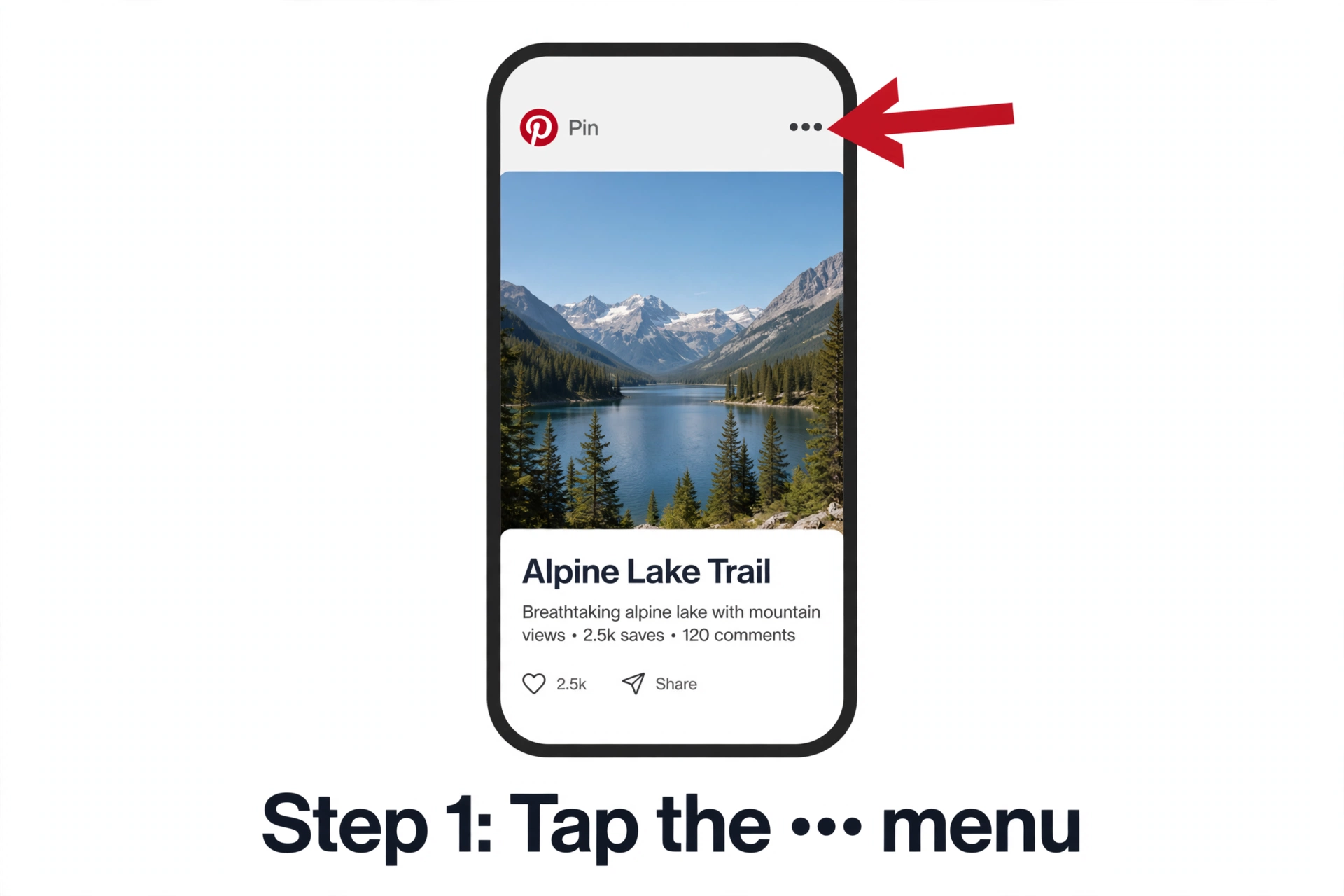
- Open the Pinterest app and tap the video, image, or GIF you want to save.
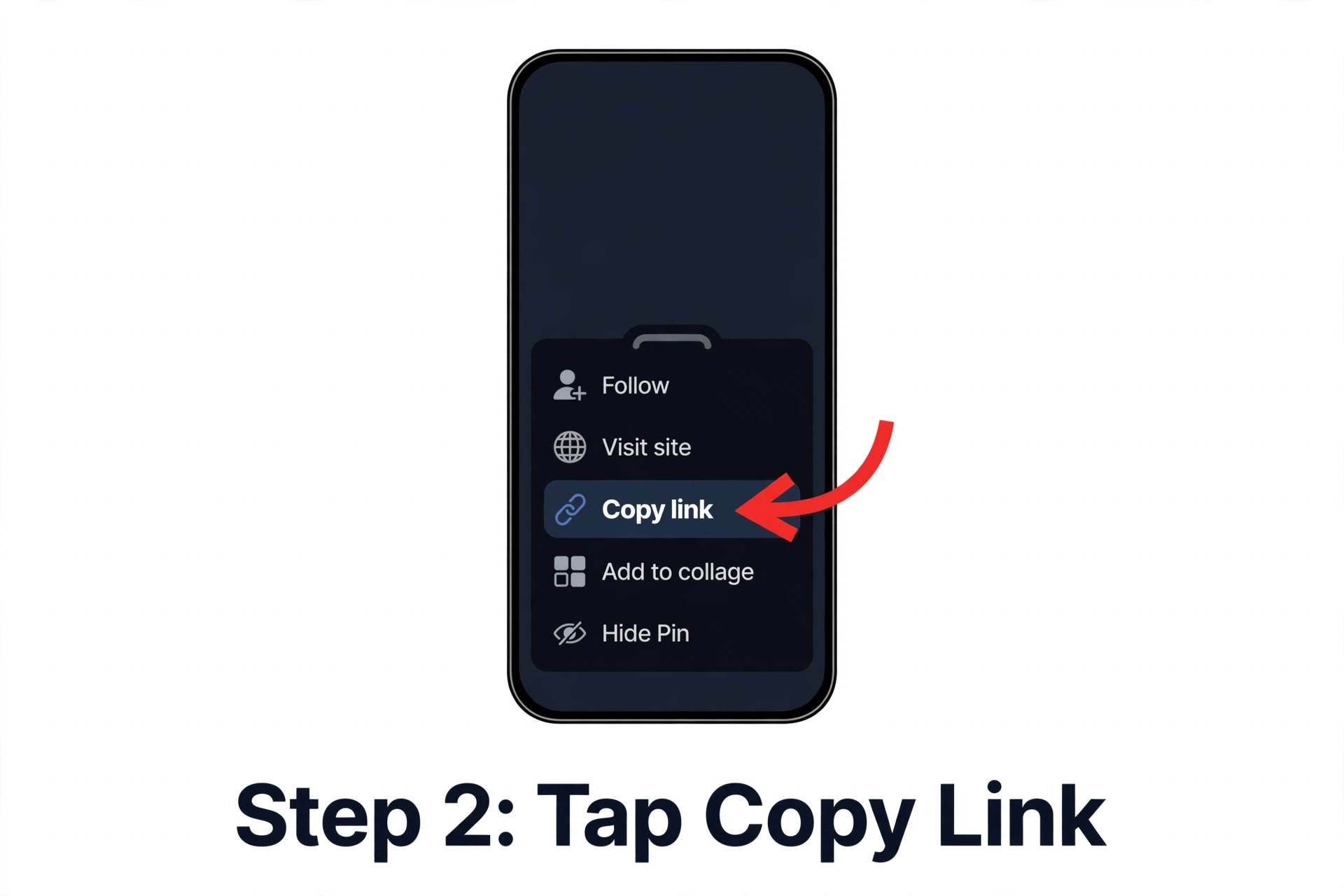
- Tap the Share icon (or the ••• menu), then tap Copy link.
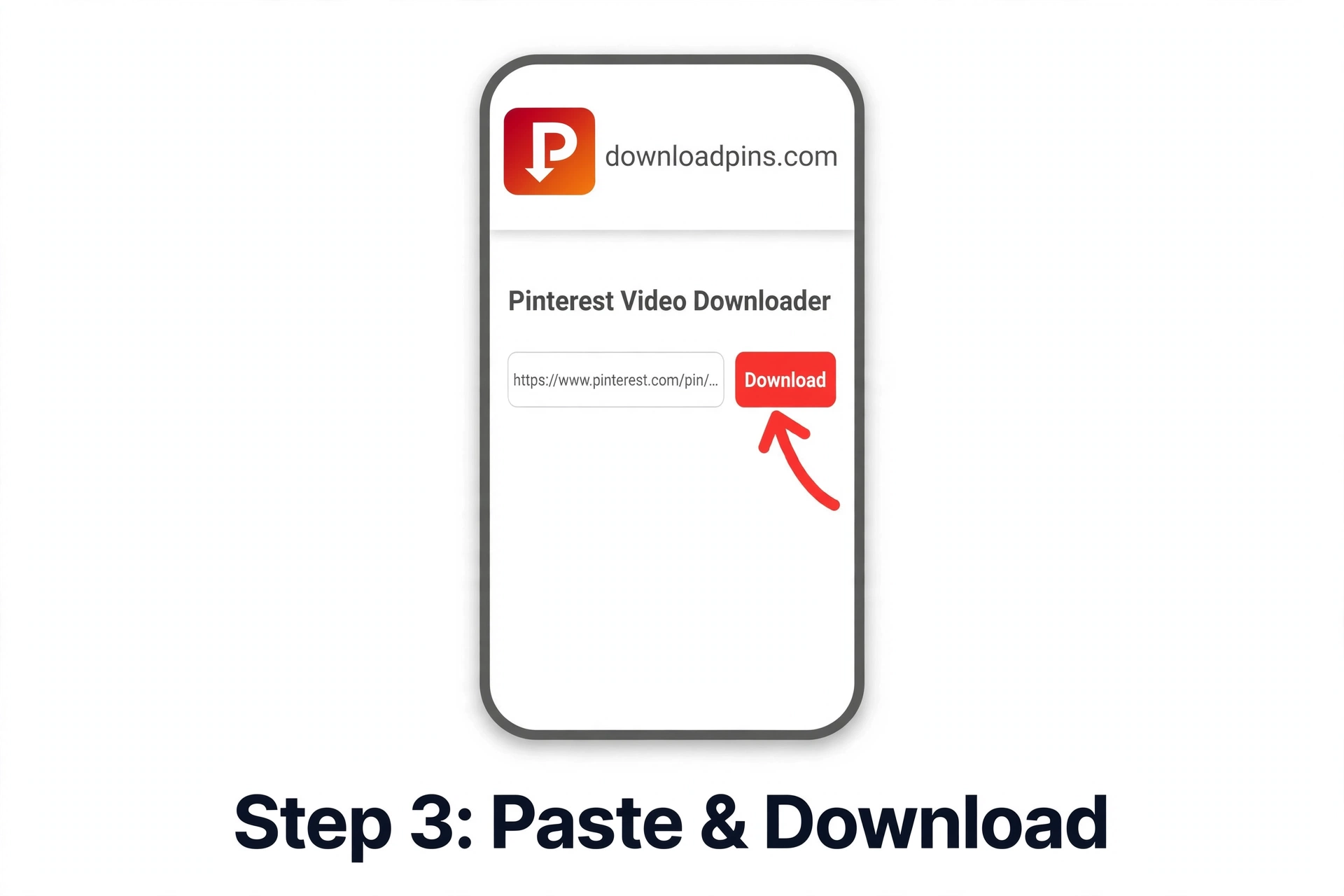
- Paste the link into the downloader box at the top of this page and tap Download.
- You’ll see a preview with the available download options. Tap the quality you want.
- The file saves to your device, done.
From a desktop browser
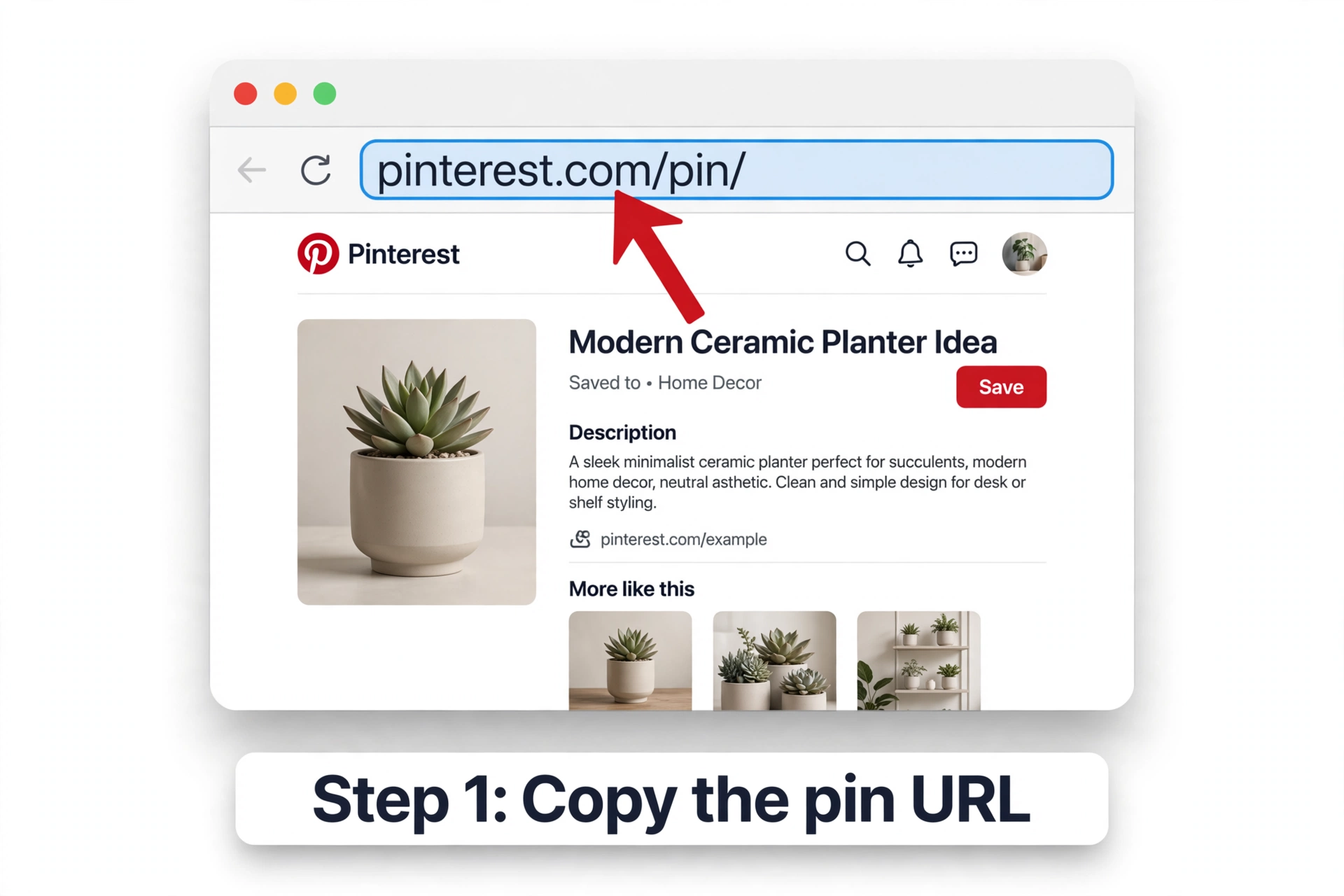
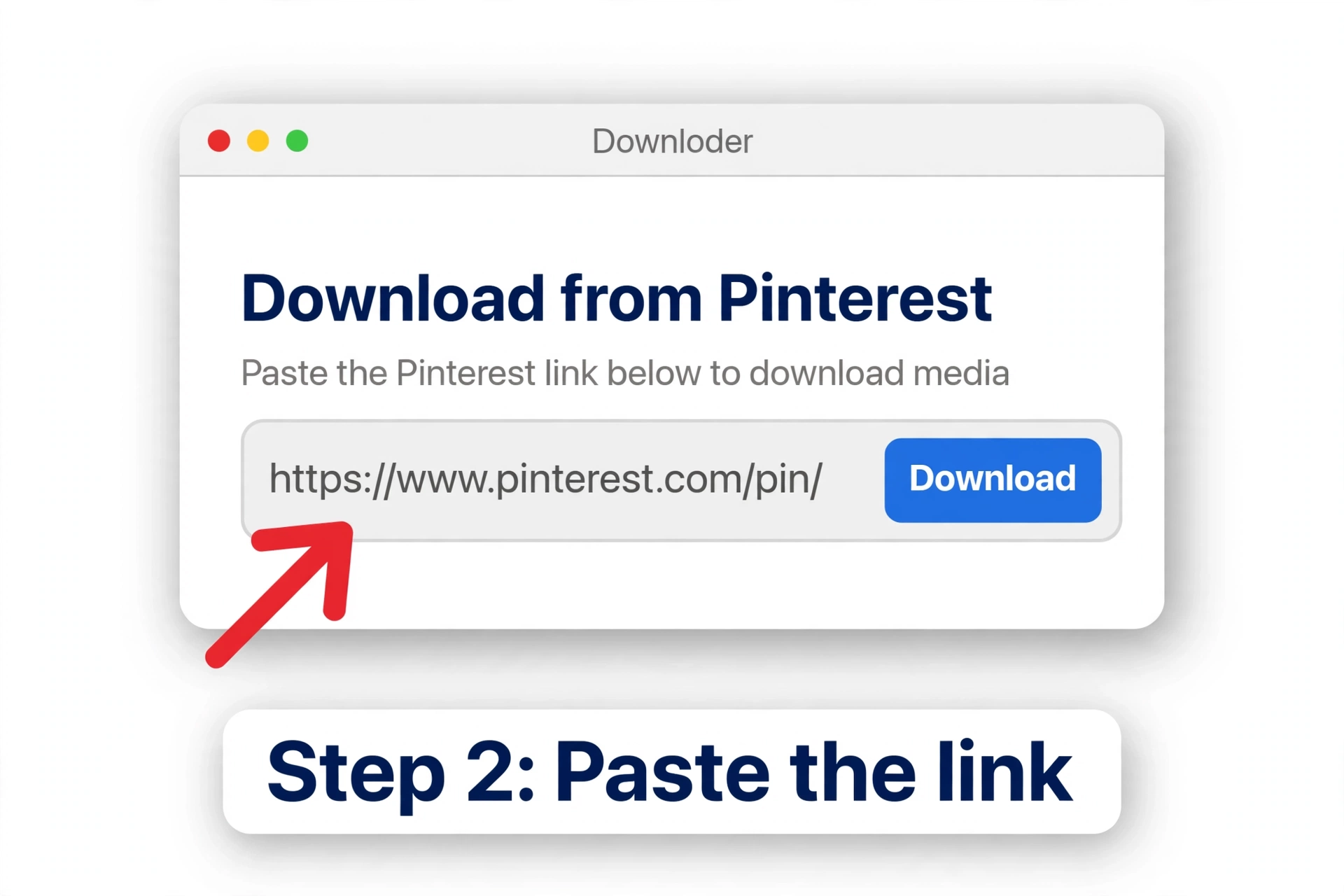
- Open the pin on pinterest.com and copy the URL from your browser’s address bar.
- Paste it into the downloader box above and click Download.
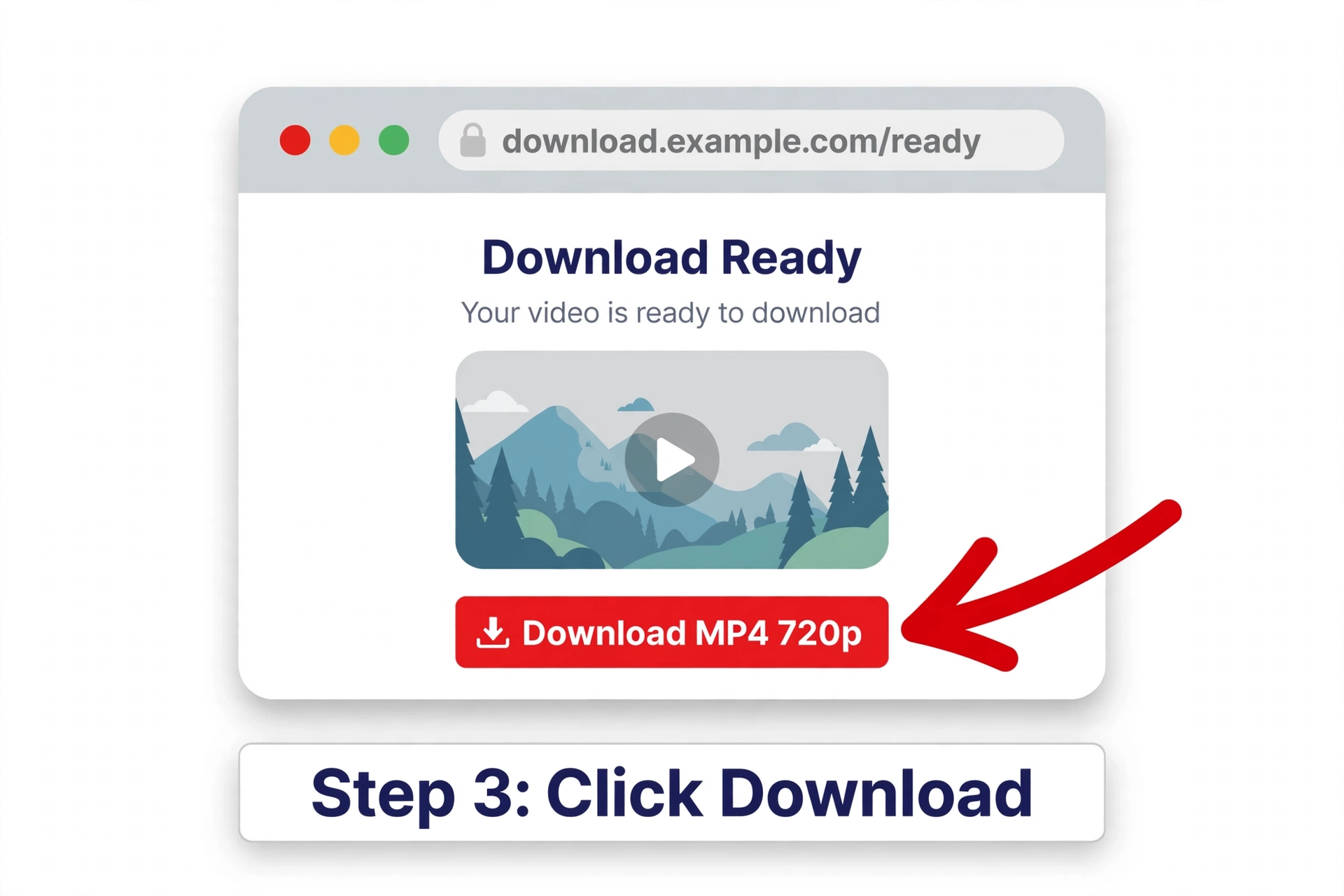
- Choose your quality from the available options and save the file, it lands in your Downloads folder.
What You Can Download
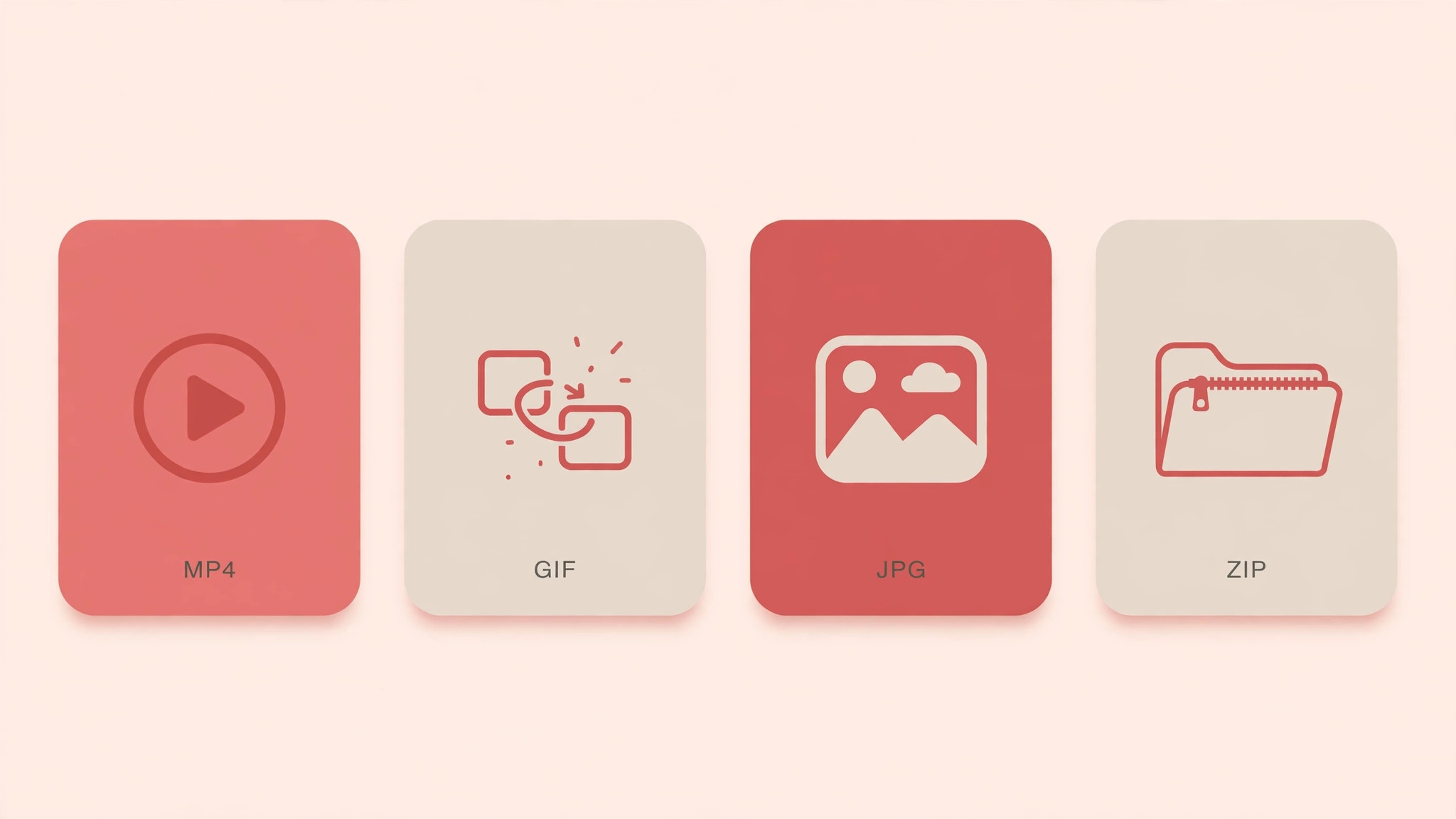
Pinterest videos (MP4)
Save public video pins as MP4 files in the best quality Pinterest provides, commonly up to 720p HD. You get Pinterest’s own source file, exactly as served, with sound included and no watermark added. Ideal for saving tutorials, recipes, workout clips, and DIY videos to watch offline or reference later.
Pinterest images
Download photos, artwork, wallpapers, infographics, and recipe images in their original quality, JPG, PNG, or WebP depending on the source. Perfect for building mood boards, collecting design references, or saving infographics you want to read later without opening the app.
Pinterest GIFs
Animated pins save as real GIF files, not converted videos, ready to share in chats, on social media, or anywhere GIFs work. See our GIF guide for details.
Whole boards (ZIP)
Paste a public board link and download its pins together as a single ZIP file, handy for mood boards, reference collections, and research. Each pin keeps its original quality, and you get everything in one download instead of saving pins one by one.
Download on Any Device
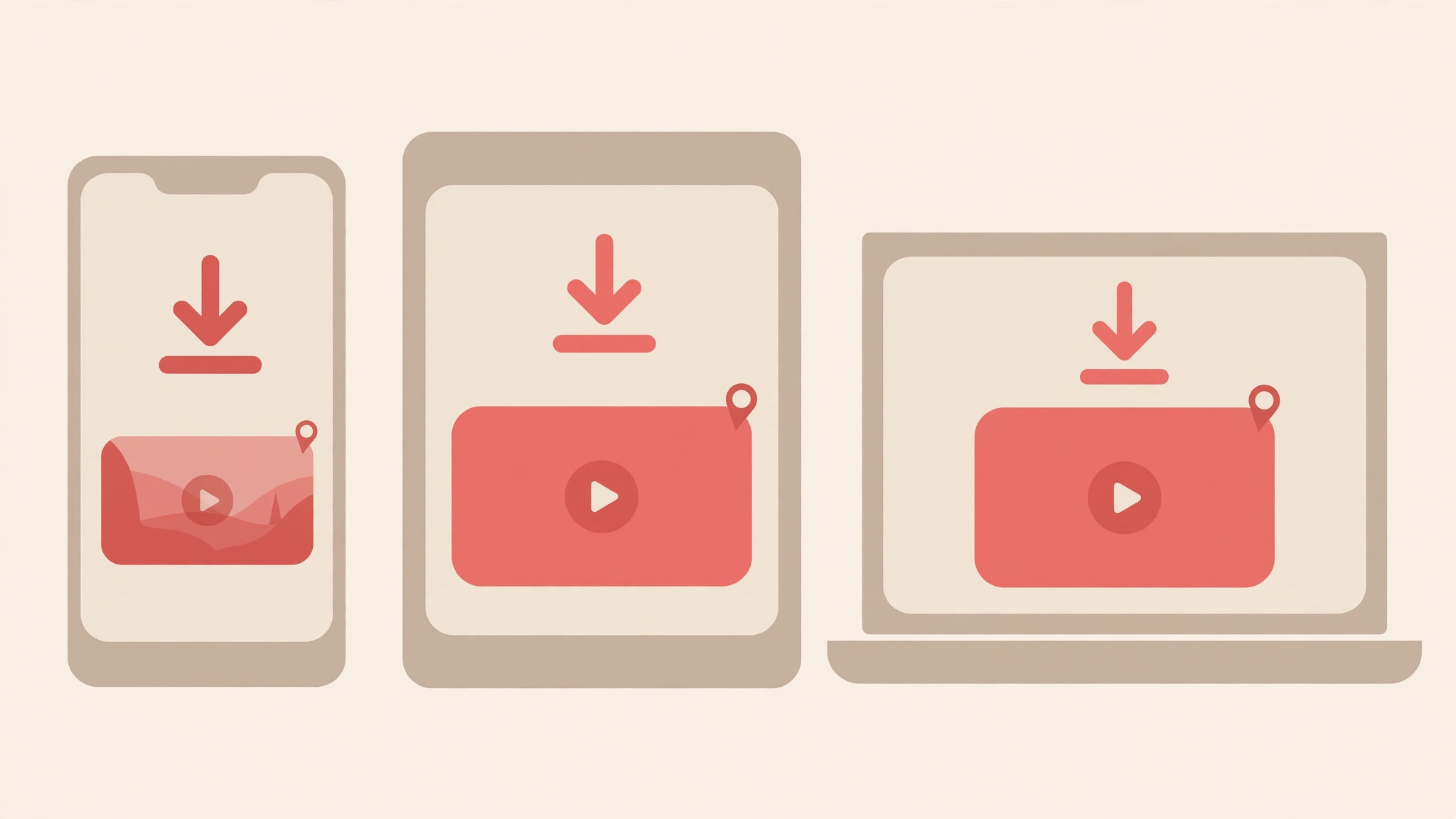
iPhone & iPad
Works right in Safari, no app needed. Files land in Files → Downloads. To move a video to your camera roll, open it in Files, tap Share, then Save Video. Tip: if tapping download plays the video instead of saving it, long-press the download button and choose Download Linked File.
Android
Open the pin in the Pinterest app, copy the link, paste it here, and download. Files go to your Downloads folder and usually appear in Gallery or Photos right away.
Windows & Mac
Works in Chrome, Firefox, Edge, and Safari. Copy the pin link, paste, download, the file lands in your browser’s Downloads folder. Press Ctrl+J (Windows) or Cmd+Shift+J (Mac) to open your download history.
What People Use It For
- Offline viewing. Save tutorials, recipes, and workout videos to watch without an internet connection, on flights, commutes, or anywhere with spotty signal.
- Mood boards & design reference. Designers, decorators, and planners collect images and videos into local reference folders that don’t depend on the Pinterest app.
- Content inspiration. Creators save clips and GIFs they want to study, remix ideas from, or reference in their own work (always credit the original creator when sharing).
- Sharing outside Pinterest. Send a funny GIF or useful clip to someone who doesn’t use Pinterest, as a real file, not a link that requires an account.
- Backup. Keep local copies of pins you rely on, in case the original gets deleted or the board goes private.
What Works, and What Doesn’t
| Works | Doesn’t work |
|---|---|
| Public video pins → MP4 | Private pins and secret boards |
| GIFs → GIF | Deleted pins |
| Images → JPG, PNG, WebP | Login-only or restricted content |
pin.it short links | Board or profile links (paste a single pin link instead) |
| Public boards → ZIP | Quality beyond what Pinterest serves, no upscaling |
| Free, no account, no app | Removing watermarks Pinterest itself embedded |
An Honest Word on Quality
The file you download is the file Pinterest serves, nothing more. If Pinterest exposed an HD rendition, that’s what you get; if the source is smaller, you get the smaller file. We never upscale, sharpen, or “enhance” anything. Any Pinterest video downloader promising 4K from a 720p source is inventing pixels. The quality options shown are exactly what Pinterest made available for that pin, so you always know what you’re getting before you download.
Downloader Not Working? Check These First
- Wrong link type. The tool reads single pin links (
pinterest.com/pin/…). Board links, profile links, and search pages won’t resolve as pins, open the pin itself and copy that link. - The pin is private or deleted. Private pins, secret-board pins, and deleted pins return nothing. No legitimate downloader can reach them.
- A
pin.itlink that won’t resolve. Open the pin in the Pinterest app or website and copy the fullpinterest.com/pin/…link instead. - Pinterest isn’t responding. Wait a minute and try again, this is usually temporary.
- Too many requests. Requests are rate-limited per IP to keep the service stable. Wait a few minutes and retry.
- Ad-blocker or VPN interference. Overly aggressive blockers can interrupt the page. Try pausing yours for this site.
Privacy: What Happens When You Paste a Link
- No account, no personal details. Nothing to sign up for, nothing to install.
- Your link is used for one thing: reading that pin’s public page to find its media file.
- Rate limiting uses your IP address, that’s the only reason it’s processed at all.
- Files come from Pinterest’s own servers. Nothing is stored or re-hosted.
Copyright and Responsible Use
Downloading a file and owning the rights to it are two different things. Pinterest’s Terms of Service say creators retain all rights in the content they post, a public pin is not permission to reuse it however you like.
- Saving for yourself, offline viewing, personal reference, an inspiration folder, is what this tool is for.
- Reposting or commercial use needs the creator’s permission. When in doubt, ask them.
- Give credit if a pin inspires something you publish, link back to the creator.
Guides & Help
iPhone Guide
Save Pinterest videos to your iPhone via Safari, no app needed.
→Android Guide
Download Pinterest videos on any Android phone in seconds.
→GIF Guide
Save Pinterest GIFs as real GIF files, not videos.
→Image Guide
Download Pinterest images in full original quality.
→Not Working? 9 Fixes
Troubleshoot the most common download problems.
→Is It Legal?
Copyright, fair use, and responsible downloading explained.
→Download a Board
Save a whole public Pinterest board as a ZIP file.
→No Watermark Guide
What “no watermark” really means , platform vs creator watermarks.
→PC Guide
Download Pinterest videos on your PC with our free Chrome extension.
Frequently Asked Questions
Is the Pinterest video downloader free?
Yes, completely free. No account, no payment, nothing to install.
Do I need a Pinterest account or an app to download?
No. The tool runs entirely in your browser and only reads public pin pages, so there’s nothing to log in to and nothing to install, on phone, tablet, or desktop.
Will my downloads have a watermark?
No watermark is added, you receive Pinterest’s source file exactly as served.
What quality and format will I get?
Whatever Pinterest provides for that pin, videos commonly up to 720p HD MP4. Videos save as MP4, GIFs as GIF, images as JPG, PNG, or WebP depending on the source. Quality is never upscaled.
How do I download Pinterest videos on iPhone?
Paste the pin link in Safari and tap download. Files land in Files → Downloads; use the share sheet and Save Video to move one to your camera roll. See our step-by-step iPhone guide for details.
Can I save GIFs, images, and full boards too?
Yes, paste the pin link the same way; the preview tells you whether it’s a video, GIF, or image before you download. Paste a public board link to get all its pins as a single ZIP file.
Can it download private or deleted pins?
No. Private, secret-board, deleted, and login-only pins can’t be fetched by any legitimate downloader.
Is it safe? Do you keep my links?
There’s no account and no personal data collected. Your link is used only to read that pin’s public page, nothing is stored.
Is downloading Pinterest videos legal?
Saving for personal offline use is generally fine; reposting or commercial use without the creator’s permission can infringe copyright. Rules differ by country, see the copyright section above.
Why isn’t my download working?
Usual causes: a non-pin link, a private or deleted pin, Pinterest temporarily not responding, or the per-IP rate limit. See the troubleshooting section above.